Digital Literacy for Adults: Protecting Your Online Privacy in 2026 with 3 Simple Habits
In an increasingly interconnected world, where our lives are inextricably linked to the digital realm, the concept of online privacy habits has never been more critical, especially for adults. The year 2026 brings with it new technological advancements, and with them, evolving challenges to our personal data security. For many adults, navigating the complexities of online privacy can feel like an uphill battle against invisible forces. However, empowering yourself with robust digital literacy isn’t about becoming a cybersecurity expert; it’s about adopting simple, consistent habits that create a powerful shield around your personal information.
This comprehensive guide is designed specifically for adults seeking to bolster their digital defenses. We will delve into why online privacy is more important than ever, explore common threats, and most importantly, equip you with three essential, easy-to-implement habits that will significantly enhance your online privacy habits by 2026 and beyond. By the end of this article, you will not only understand the landscape of online data protection but also possess actionable strategies to safeguard your digital footprint effectively.
The Evolving Landscape of Online Privacy for Adults in 2026
The digital world of 2026 is a dynamic environment. Artificial intelligence, big data analytics, and the Internet of Things (IoT) are no longer futuristic concepts but integral parts of our daily lives. While these technologies offer unparalleled convenience and innovation, they also bring heightened risks to our personal data. Every click, every search, every online interaction generates data, and this data is a valuable commodity. Companies use it to personalize experiences, advertisers to target consumers, and unfortunately, malicious actors to exploit vulnerabilities.
For adults, who may not have grown up with the internet, understanding these underlying mechanisms can be particularly challenging. The sheer volume of information and the rapid pace of technological change can be overwhelming. However, ignoring these developments is not an option. Data breaches are common, identity theft is a constant threat, and the erosion of personal privacy can have real-world consequences, from financial loss to reputational damage. Therefore, cultivating strong online privacy habits is no longer just a recommendation; it’s a necessity for responsible digital citizenship.
Why Digital Literacy is Your First Line of Defense
Digital literacy goes beyond simply knowing how to use a computer or a smartphone. It encompasses the ability to find, evaluate, create, and communicate information requiring both cognitive and technical skills. In the context of privacy, digital literacy means understanding:
- How your data is collected: From websites you visit to apps you download, understanding the mechanisms of data collection is crucial.
- The value of your data: Recognizing that your personal information has commercial and sometimes illicit value.
- The risks involved: Being aware of potential threats like phishing, malware, and social engineering.
- Your rights: Knowing about data protection regulations like GDPR or CCPA and how they apply to you.
- Protective measures: Implementing tools and practices to safeguard your information.
Without a foundational understanding of these elements, even the most sophisticated security tools can be ineffective. Digital literacy empowers adults to make informed decisions about their online presence and to actively participate in protecting their privacy rather than passively hoping for the best. It’s about taking control of your digital narrative and building resilient online privacy habits.
Habit 1: Master Your Privacy Settings and Permissions
The first and arguably most impactful habit for enhancing your online privacy habits is to take proactive control of your privacy settings across all your digital accounts and devices. Many online platforms, social media sites, and even operating systems offer robust privacy controls, but they are often hidden deep within menus or set to less private defaults. The key is to seek them out and customize them to your comfort level.
Social Media Platforms: A Deep Dive into Your Digital Persona
Social media platforms like Facebook, Instagram, X (formerly Twitter), and LinkedIn are treasure troves of personal data. They collect vast amounts of information about your interests, connections, location, and behaviors. Regularly reviewing and adjusting your privacy settings on these platforms is paramount. Here’s what to focus on:
- Audience for Posts: Ensure your posts are visible only to your intended audience (e.g., ‘Friends’ instead of ‘Public’).
- Tagging and Mentions: Control who can tag you in photos or mention you in posts. Consider requiring manual approval.
- Personal Information: Limit the visibility of your birth date, phone number, email address, and workplace.
- Location Services: Disable location tracking for social media apps unless absolutely necessary.
- Third-Party Apps: Regularly review and revoke permissions for third-party applications that have access to your social media data. Many apps request access to your profile, friends list, and even private messages.
- Ad Preferences: While you can’t stop ads entirely, you can often limit the data used for targeting by adjusting your ad preferences.
Make it a routine, perhaps once a month, to spend 15-20 minutes reviewing these settings. Platforms frequently update their interfaces and privacy policies, so what was private yesterday might be public today if you’re not vigilant. This consistent review is a cornerstone of effective online privacy habits.
Mobile Devices: Your Pocket-Sized Data Hub
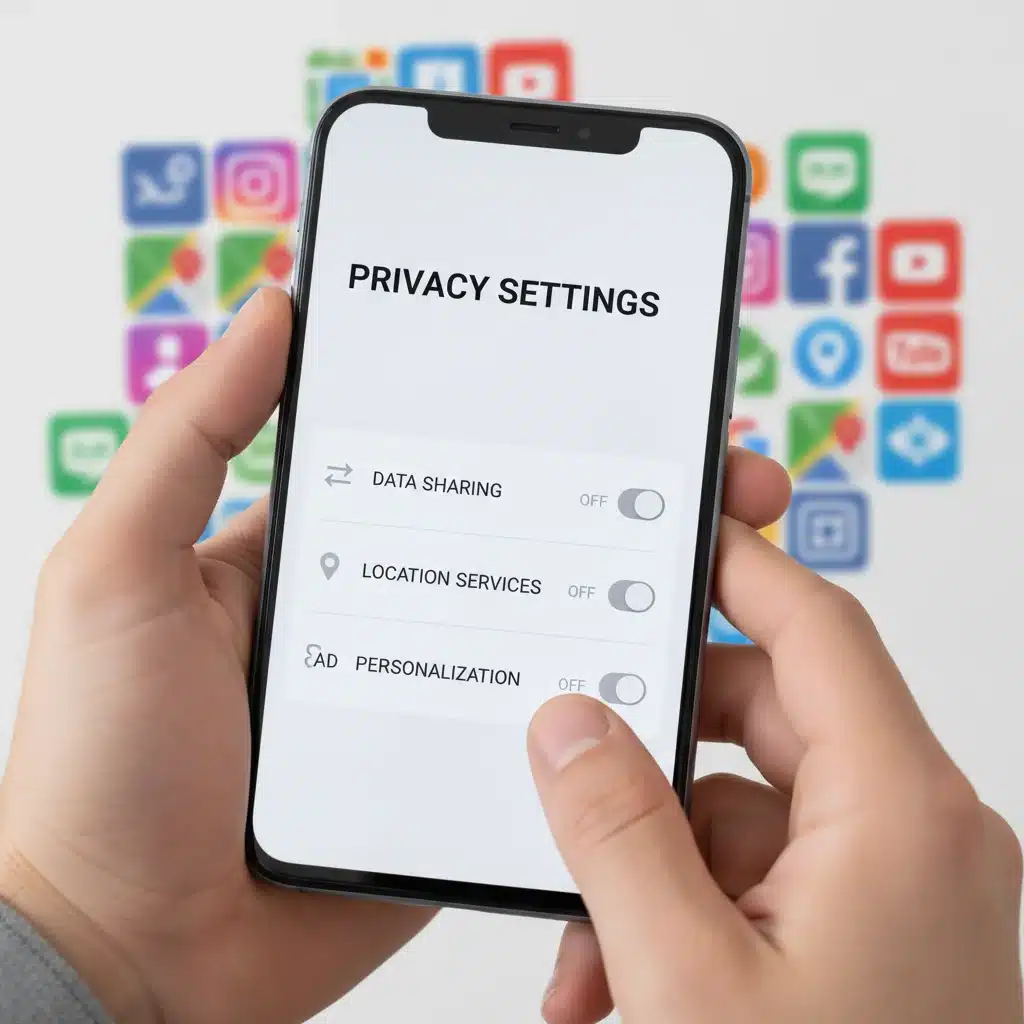
Your smartphone or tablet is arguably the most personal device you own, containing a wealth of sensitive information. Mastering its privacy settings is crucial. Both iOS and Android offer comprehensive controls:
- App Permissions: Scrutinize the permissions requested by each app. Does a calculator app really need access to your microphone or contacts? Grant permissions only when absolutely necessary and always choose ‘While Using App’ for location services where possible.
- Location Services: Limit which apps can access your location. Disable precise location for apps that don’t need it.
- Microphone and Camera Access: Be highly selective about which apps can access your microphone and camera.
- Tracking: On iOS, utilize the ‘App Tracking Transparency’ feature to prevent apps from tracking your activity across other apps and websites. On Android, you can reset your advertising ID.
- Biometric Security: Use fingerprint or facial recognition for unlocking your device and authorizing purchases.
Understanding and controlling these device-level settings is a powerful step in building robust online privacy habits. It prevents apps from collecting data they don’t need, thereby reducing your digital exposure.
Web Browsers: Your Gateway to the Internet
Your web browser is your primary interface with the internet, and it can reveal a lot about your browsing habits. Enhance your privacy by:
- Using Privacy-Focused Browsers: Consider browsers like Brave, Firefox, or DuckDuckGo that prioritize privacy by blocking trackers by default.
- Incognito/Private Mode: Use these modes for sensitive browsing sessions, but remember they don’t make you anonymous to your ISP or the websites you visit.
- Blocking Third-Party Cookies: Most browsers allow you to block third-party cookies, which are often used for tracking across different websites.
- Browser Extensions: Install reputable privacy extensions like uBlock Origin (ad blocker), Privacy Badger (tracker blocker), or HTTPS Everywhere (encrypts connections).
- Search Engines: Opt for privacy-focused search engines like DuckDuckGo instead of those that track your search history.
By actively managing your browser settings and choices, you can significantly reduce the amount of data collected about your online activities, a crucial component of strong online privacy habits.
Habit 2: Embrace Strong Passwords and Multi-Factor Authentication (MFA)
Despite constant warnings, many adults still rely on weak, easily guessable passwords or reuse the same password across multiple accounts. This is a critical vulnerability. The second essential habit for bolstering your online privacy habits in 2026 is to adopt a rigorous approach to password management and to always enable Multi-Factor Authentication (MFA).
The Power of a Strong, Unique Password
A strong password is your first line of defense against unauthorized access. Here’s what makes a password strong:
- Length: Aim for at least 12-16 characters. Longer is always better.
- Complexity: Combine uppercase and lowercase letters, numbers, and symbols.
- Uniqueness: Never reuse passwords across different accounts. If one account is compromised, all others using the same password become vulnerable.
- Randomness: Avoid using personal information (names, birth dates), common words, or predictable patterns.
Remembering dozens of complex, unique passwords is impossible for most people. This is where password managers come in. Tools like LastPass, 1Password, Bitwarden, or KeePass securely store all your passwords behind a single, strong master password. They can also generate strong, random passwords for you, making this habit effortless. Investing in a good password manager is one of the best decisions you can make for your online privacy habits.
Multi-Factor Authentication (MFA): Your Indispensable Second Layer
Even the strongest password can be compromised through phishing attacks, data breaches, or malware. This is why Multi-Factor Authentication (MFA) is so vital. MFA requires you to provide two or more verification factors to gain access to an account. These factors typically fall into three categories:
- Something you know: Your password.
- Something you have: A physical token, your smartphone (for a code via SMS or an authenticator app), or a security key.
- Something you are: Biometrics like a fingerprint or facial scan.
For most online accounts, MFA involves entering your password (something you know) and then providing a code from an authenticator app (e.g., Google Authenticator, Authy) or a code sent via SMS to your registered phone number (something you have). While SMS codes can be vulnerable to SIM-swapping attacks, they are still significantly better than no MFA at all. Authenticator apps or physical security keys (like YubiKey) offer even stronger protection.
Make it a non-negotiable rule: if an online service offers MFA, enable it. This simple step can thwart over 99% of automated attacks and is a cornerstone of robust online privacy habits. It adds a crucial layer of security that makes it exponentially harder for unauthorized individuals to access your accounts, even if they manage to steal your password.
Habit 3: Be Mindful of What You Share and Where You Connect
The third fundamental habit for improving your online privacy habits revolves around conscious sharing and secure connectivity. Much of our personal data is exposed not through technical breaches, but through our own actions and choices about what information we disseminate and how we access the internet.
The Principle of Least Privilege in Sharing
Apply the principle of least privilege to your online sharing: share only what is absolutely necessary, with only the people who absolutely need to see it, and for only as long as it’s needed. This applies to:
- Personal Information on Social Media: Think twice before posting details about your travel plans, your children’s schools, your home address, or even seemingly innocuous details that could be used for social engineering attacks (e.g., your pet’s name, which might be a security question answer).
- Online Forms and Surveys: Be wary of websites or apps that ask for excessive personal information. If a service seems to be asking for data unrelated to its function, question its necessity.
- Email Attachments and Links: Exercise extreme caution with unsolicited emails. Phishing attempts often rely on you clicking malicious links or opening infected attachments. Always verify the sender and the context before interacting.
- Public Wi-Fi: Public Wi-Fi networks in cafes, airports, or hotels are inherently insecure. Data transmitted over these networks can often be intercepted by malicious actors. Avoid conducting sensitive transactions (online banking, shopping with credit cards, logging into email) on public Wi-Fi. If you must use public Wi-Fi, always use a Virtual Private Network (VPN) to encrypt your connection.
Cultivating a skeptical mindset about online sharing and connectivity is a powerful defense. It’s about being an active participant in your own data protection, rather than relying solely on platform security. This mindful approach is a hallmark of strong online privacy habits.
Regular Digital Decluttering and Information Audits
Just as you might declutter your physical home, regularly decluttering your digital life is an excellent habit. This involves:
- Deleting Old Accounts: If you no longer use an online service, delete the account. This removes your data from their servers and reduces your attack surface.
- Reviewing App Installations: Uninstall apps you no longer use on your smartphone, tablet, and computer.
- Checking Data Broker Sites: Periodically search for your name on data broker websites (though removing data can be a tedious process, services exist to help).
- Auditing Cloud Storage: Review files stored in cloud services like Google Drive, Dropbox, or OneDrive. Delete sensitive information you no longer need.
This ongoing audit and decluttering process ensures that your digital footprint remains as small and controlled as possible, significantly contributing to your overall online privacy habits.
Integrating These Habits into Your Daily Routine
The true power of these three habits lies in their consistent application. Like any new routine, they might feel cumbersome at first, but with practice, they will become second nature. Here are some tips for integrating them effectively:
- Set Reminders: Schedule monthly or quarterly reminders to review your privacy settings.
- Start Small: Don’t try to overhaul everything at once. Pick one platform or device to focus on first, then gradually expand.
- Educate Yourself Continuously: Stay informed about new privacy threats and solutions. Follow reputable cybersecurity news sources.
- Lead by Example: Share your knowledge and encourage friends and family to adopt better online privacy habits.
Remember, achieving perfect online anonymity is virtually impossible, but significantly enhancing your privacy and security is entirely within your control. These habits are not about becoming paranoid; they are about becoming empowered and making informed choices in a complex digital world.
Beyond the Three Habits: Additional Considerations for 2026
While the three core habits form a robust foundation, the evolving digital landscape of 2026 requires continuous awareness and adaptation. Here are a few additional points for adults to consider:
Understanding AI and Data Usage
Artificial Intelligence (AI) is increasingly used to analyze vast datasets, including your personal information. Be aware that many services you use employ AI to personalize experiences, but also to profile users. Understand that when you interact with AI-powered tools, whether it’s a chatbot or a recommendation engine, your input contributes to its learning and data collection. Adjust your settings on these platforms to limit data sharing with AI models where possible.
The Rise of Deepfakes and Misinformation
As digital literacy improves, so too must our ability to discern truth from fiction. Deepfakes, AI-generated images, audio, and video that are highly realistic, are becoming more sophisticated. Always question the authenticity of highly sensational or emotionally charged content, especially if it comes from unverified sources. Cross-reference information with reputable news organizations and fact-checking sites. Protecting your privacy also means protecting your mind from manipulation, which is a crucial aspect of overall digital well-being.
Smart Home Devices and IoT Security
By 2026, smart home devices (IoT) are even more prevalent. From smart speakers to security cameras, these devices collect data about your home and habits. When purchasing and setting up IoT devices:
- Change Default Passwords: Always change the default username and password immediately.
- Review Privacy Policies: Understand what data the device collects and how it’s used.
- Network Segmentation: If possible, place IoT devices on a separate network segment (guest network) to isolate them from your primary devices.
- Disable Unnecessary Features: Turn off microphones or cameras when not in use if the device allows.
These considerations extend your online privacy habits beyond traditional computing to the interconnected devices within your living space.
Regular Software Updates
Keeping your operating systems, applications, and anti-virus software up to date is not just about new features; it’s primarily about security. Software updates often include patches for newly discovered vulnerabilities that hackers could exploit. Enable automatic updates wherever possible, or make it a point to check for and install updates regularly. This seemingly small habit is a critical component of maintaining a secure digital environment.
Conclusion: Empowering Your Digital Future with Online Privacy Habits
The journey to enhanced digital literacy and robust online privacy is an ongoing one. It requires vigilance, continuous learning, and the consistent application of good practices. For adults in 2026, understanding and implementing strong online privacy habits is not merely a technical exercise; it’s an essential life skill that safeguards your personal information, protects your financial well-being, and preserves your peace of mind in an increasingly digital world.
By mastering your privacy settings and permissions, embracing strong passwords and multi-factor authentication, and being mindful of what you share and where you connect, you are taking powerful, proactive steps to control your digital destiny. These three simple habits, when consistently applied, will transform your online experience from one of vulnerability to one of confidence and security. Start today, and empower yourself for a safer, more private digital future.